
Confidence in every trade.
No feelings. Data.
A native desktop journal with pro analytics, any-broker integrations,
verified trades, and live trade reviews.
Integrates with any broker, exchange or platform





































989 auto-sync · 968 one-click file importers · any other broker via the universal CSV mapper.
Everything your trading needs,
in one app
Start on the Dashboard — open Stax and you instantly know where you stand: key metrics up top, a colour-coded P&L calendar, your equity curve, and performance broken down by day and by symbol.
Learn more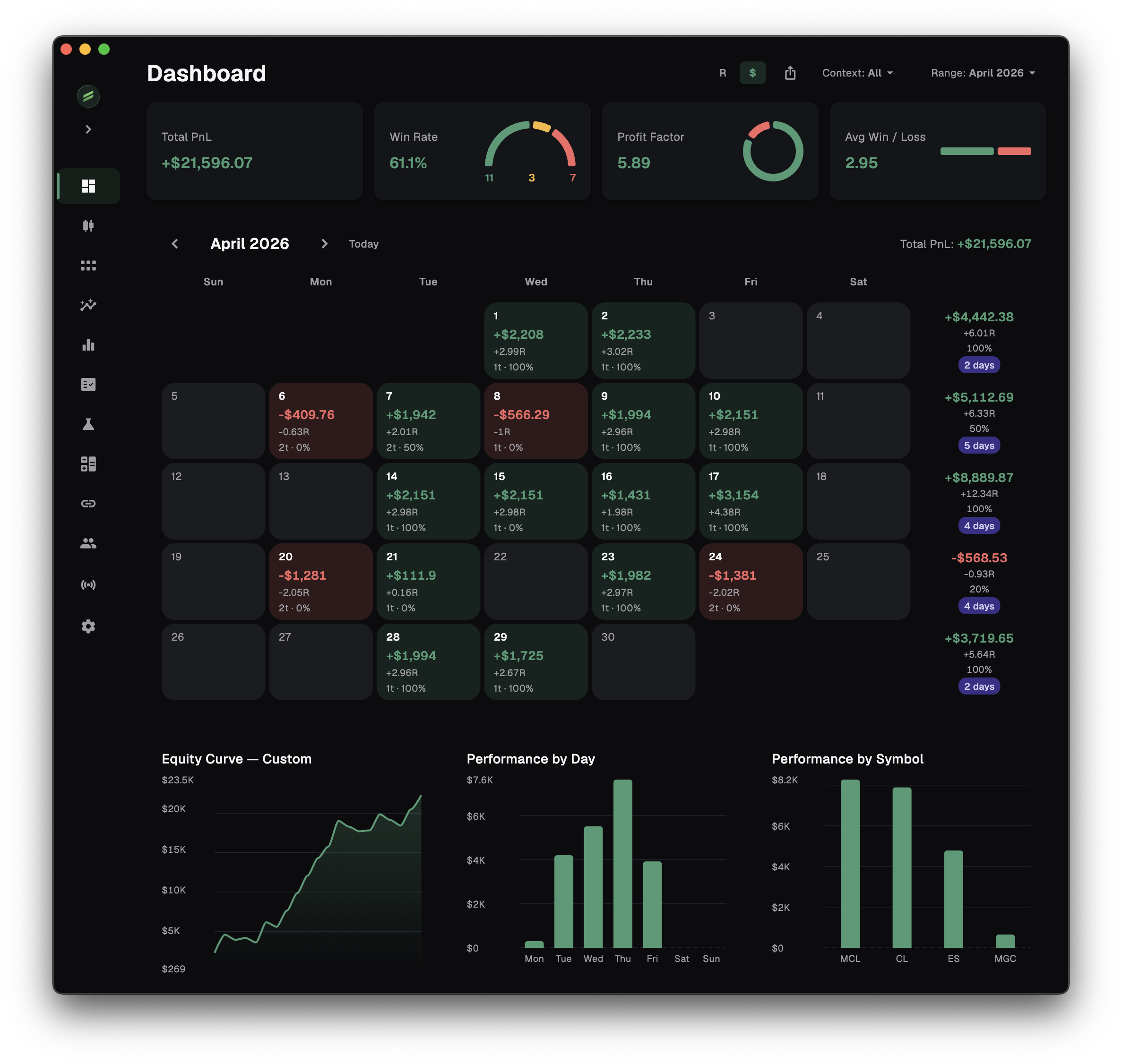
Analytics Hub
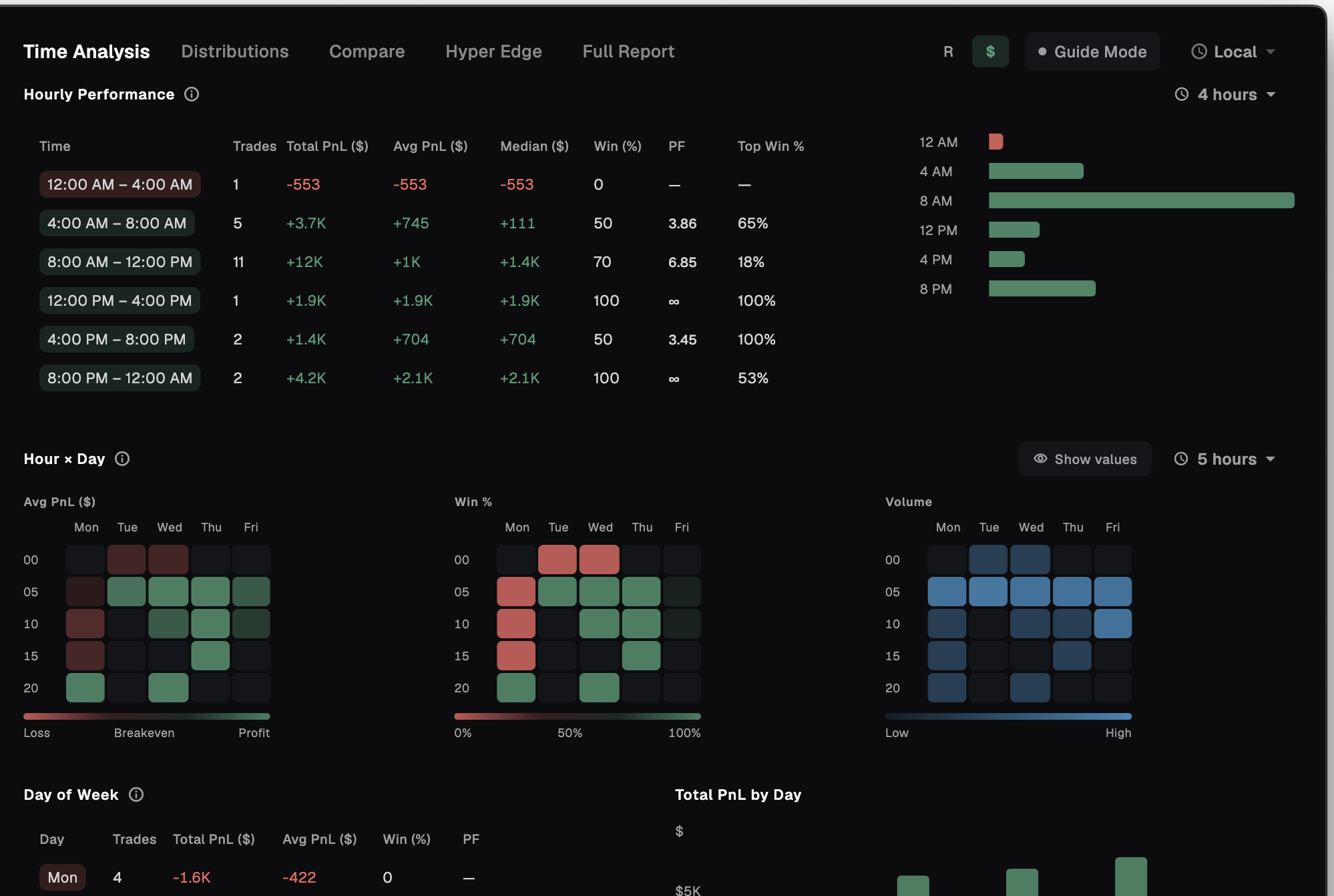
See exactly when you trade best across 8 timing tables — hourly performance plus hour-by-weekday heatmaps for P&L, win rate and volume, in any timezone and in R or $.
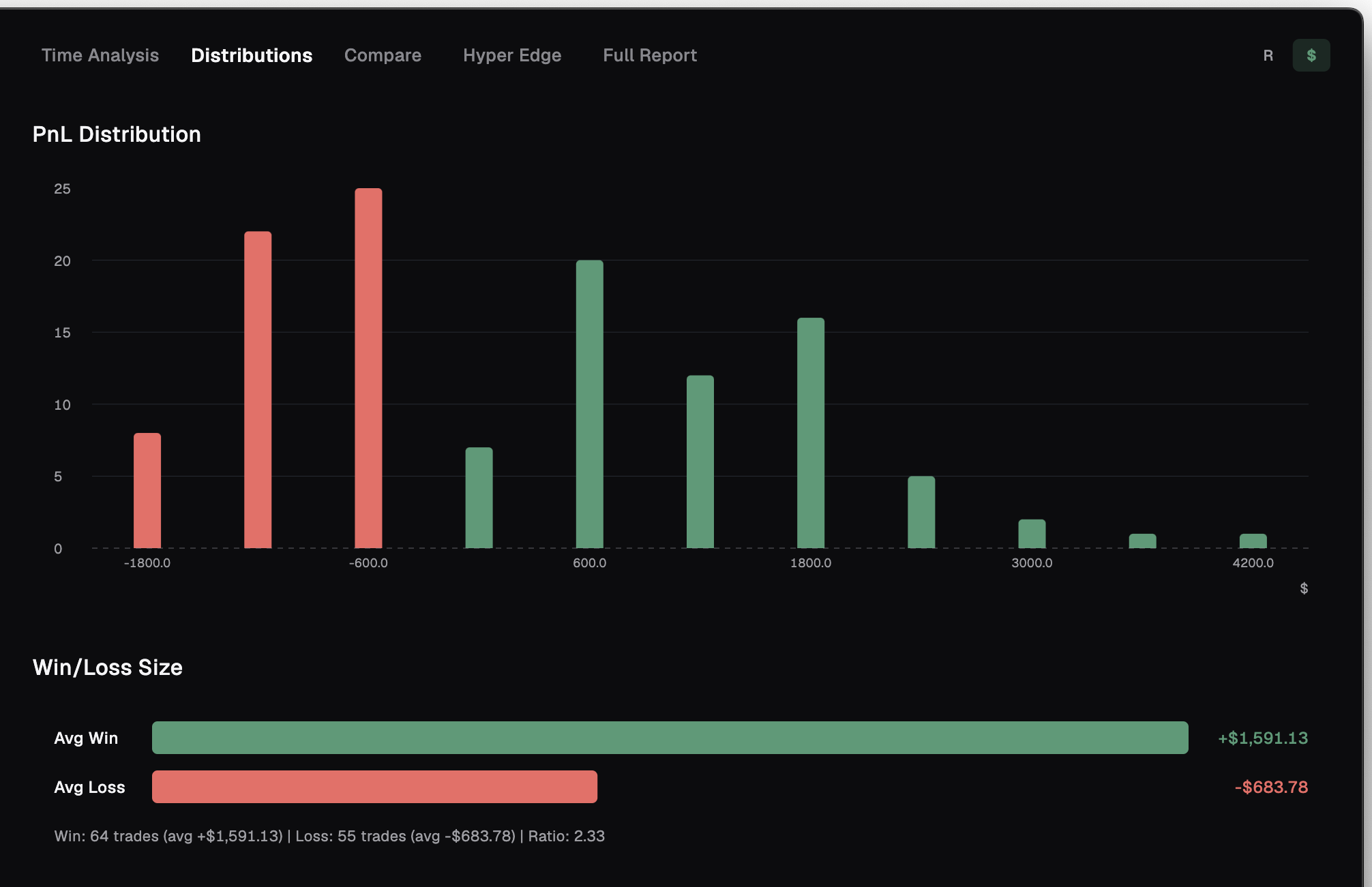
The shape of your results — how your P&L is spread across every trade, your average winner against your average loser, and how long your win and loss streaks run.
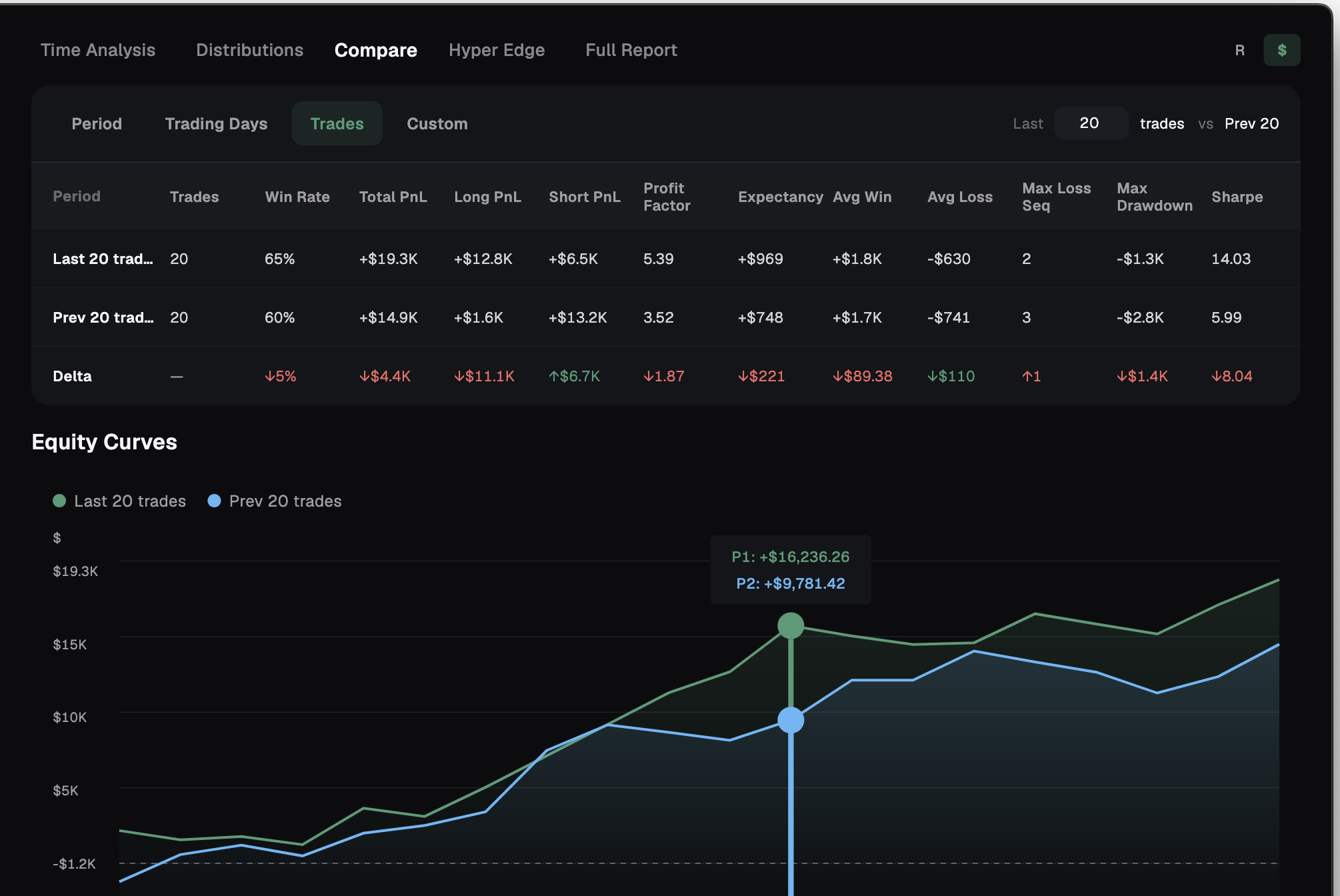
Put any two periods side by side — last 20 trades vs the previous month, and so on — with all 11 metrics, deltas and overlaid equity curves.
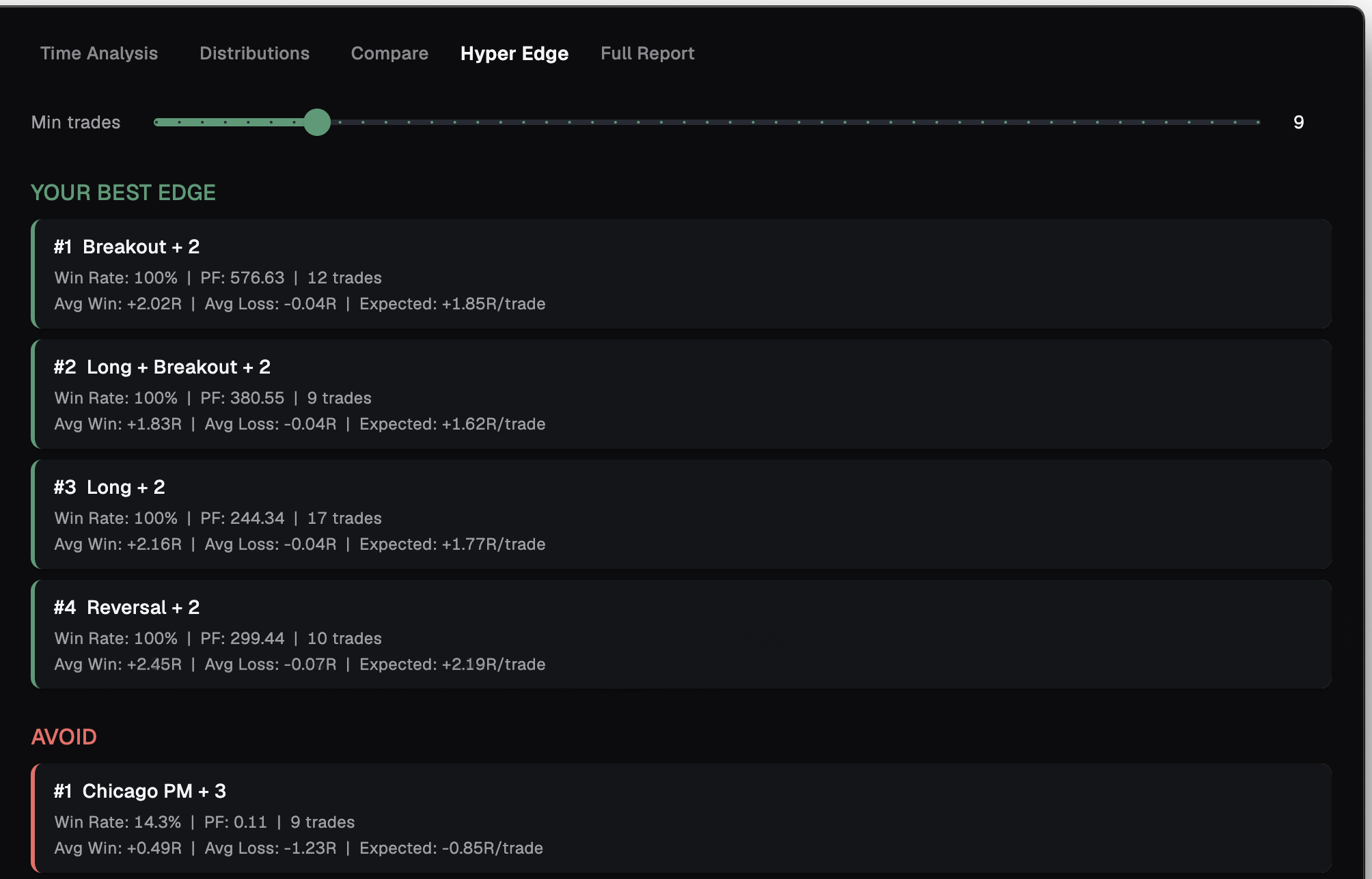
An edge-finding tool — it tests combinations of your factors and ranks which setups give you an edge and which to avoid.
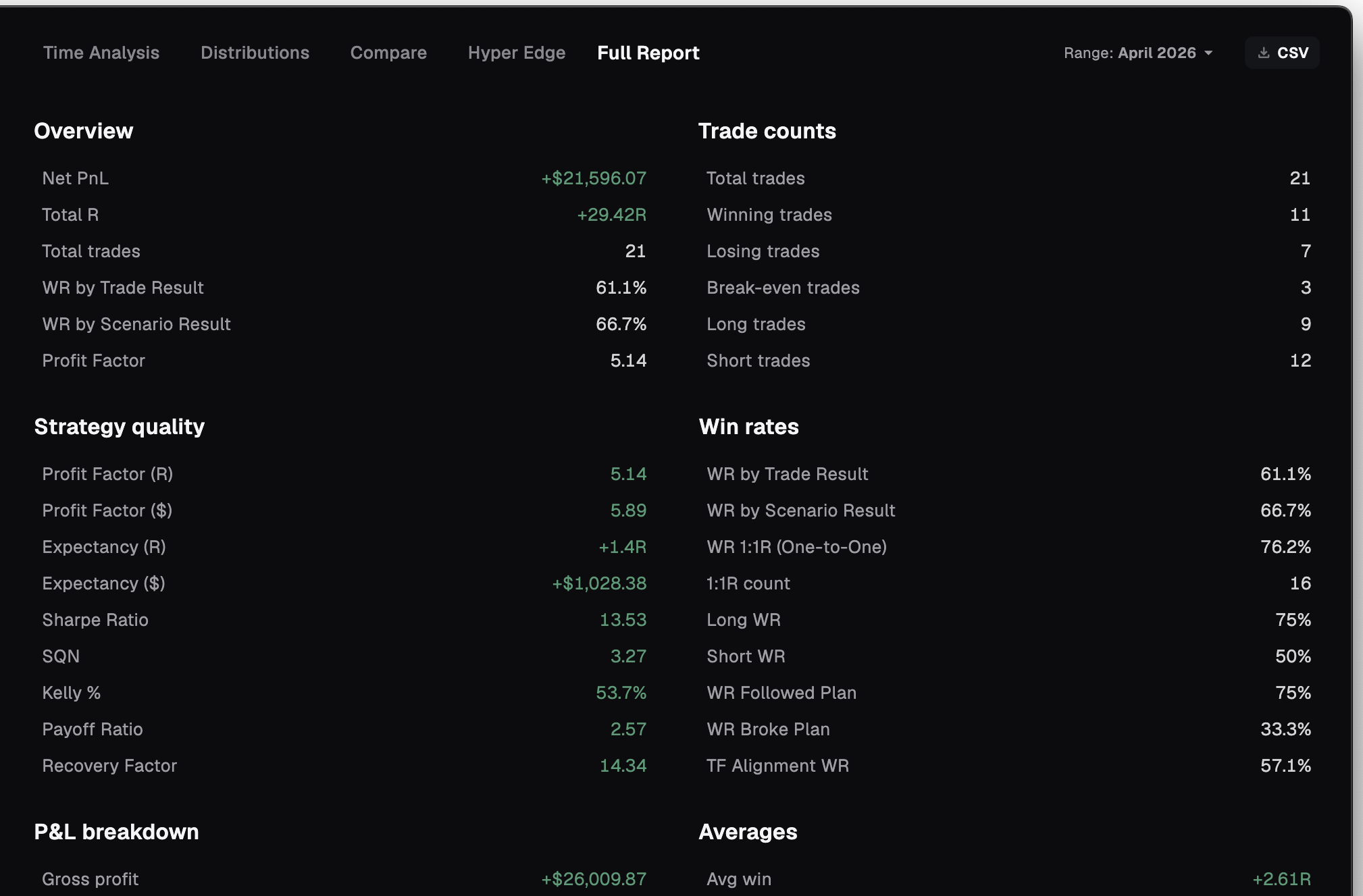
Every number Stax tracks — 90+ metrics across 13 sections — in one export-ready CSV report.
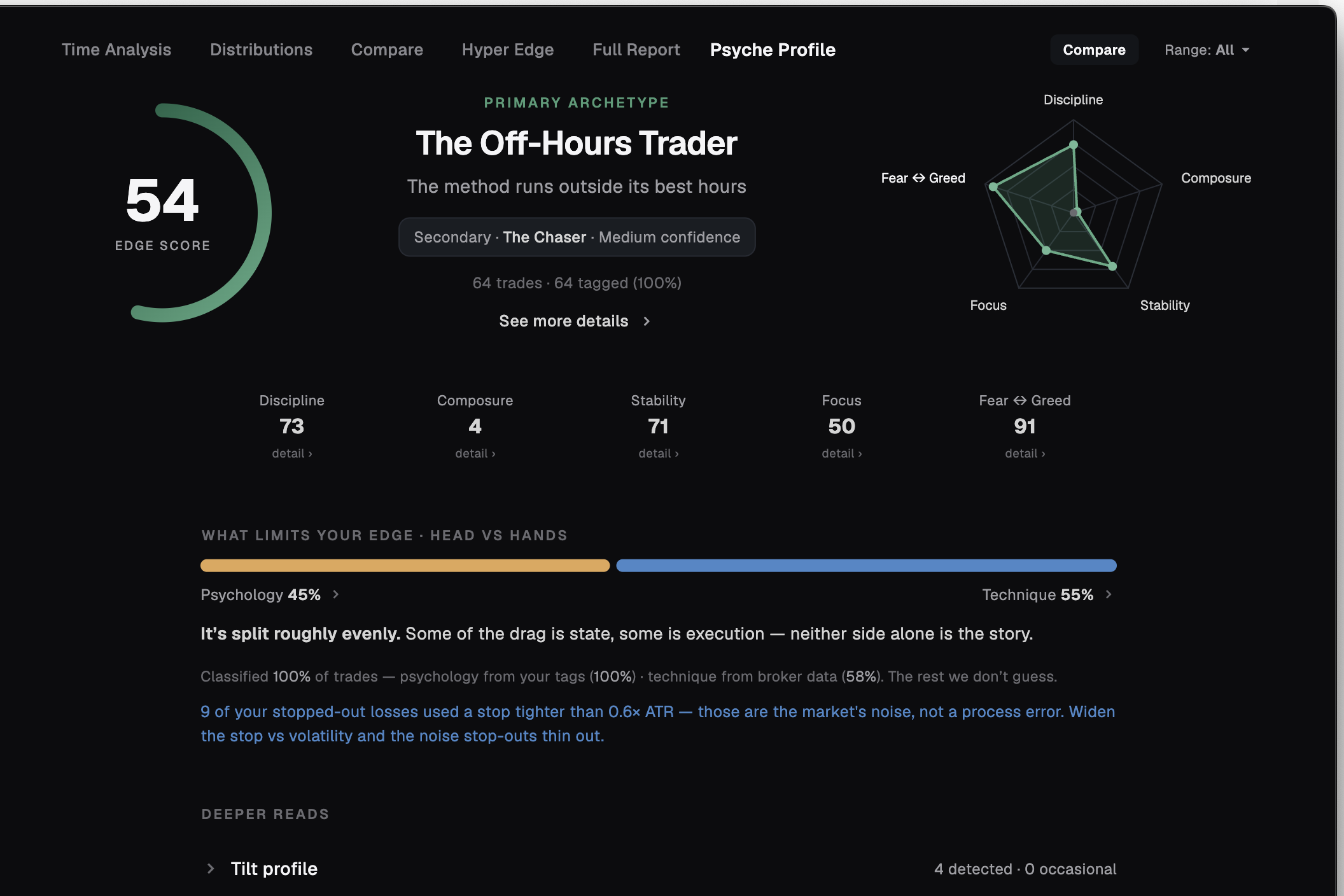
Who you are when you trade — an Edge score, your primary archetype, five behavioural scales, tilt patterns and a head-vs-hands split of what limits you. Read only from your own journal, and compared block by block. A read of your trades — not a diagnosis.
Or ask your own AI
Bring the AI you already use — or run one locally and stay fully offline. Read-only and free on every plan.
Your entire trading desk
Trade sheet, research, setups, live sessions, prop-firm calculator, mentoring — the complete workspace, not just charts and stats.
Trade Sheet
A fast, spreadsheet-style log of every trade — size, fees, R and net P&L — with a live stats bar that updates the moment you add a row. Type trades in by hand, import a file, or connect a broker to sync them automatically.
Learn more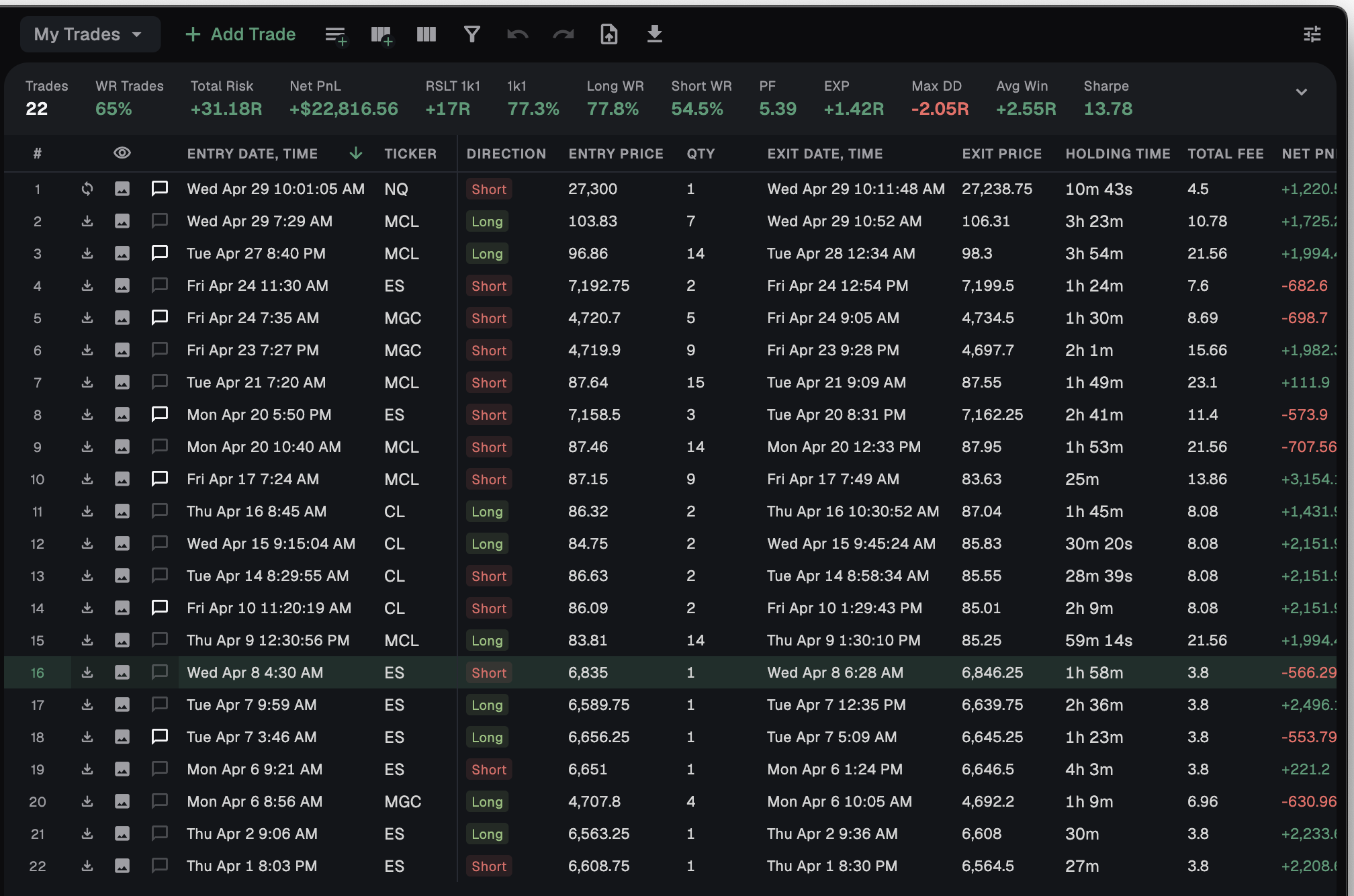
Research
Build and test your edge ideas — your own trades or a broader market hypothesis. Do the charting in your own platform, drop the screenshots in, log your notes and setup conditions, then link a study to real trades to see whether it actually holds.
Learn more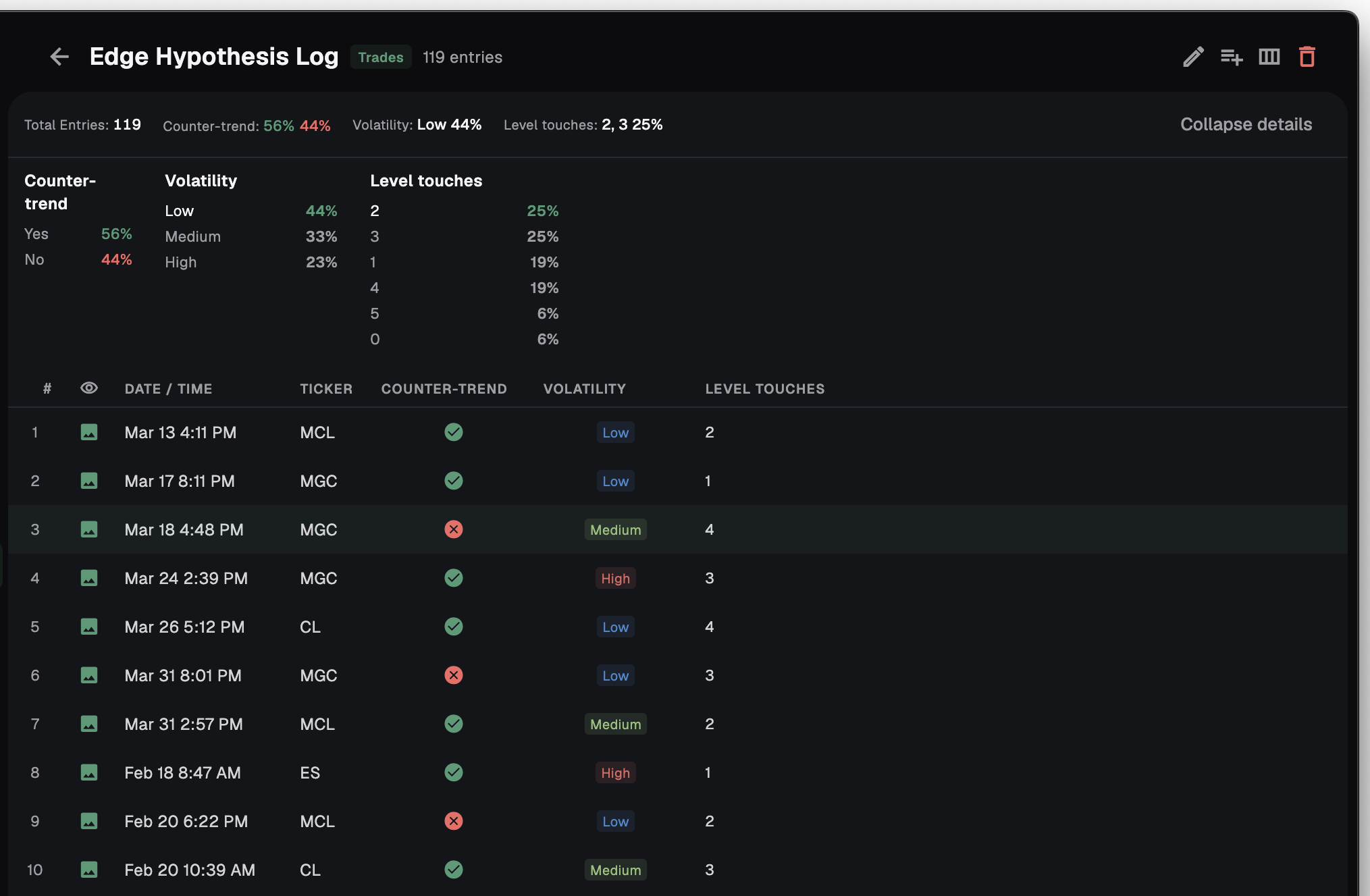
Setups
Define each strategy with condition analytics, chart examples and notes — and watch which conditions actually move your edge.
Learn more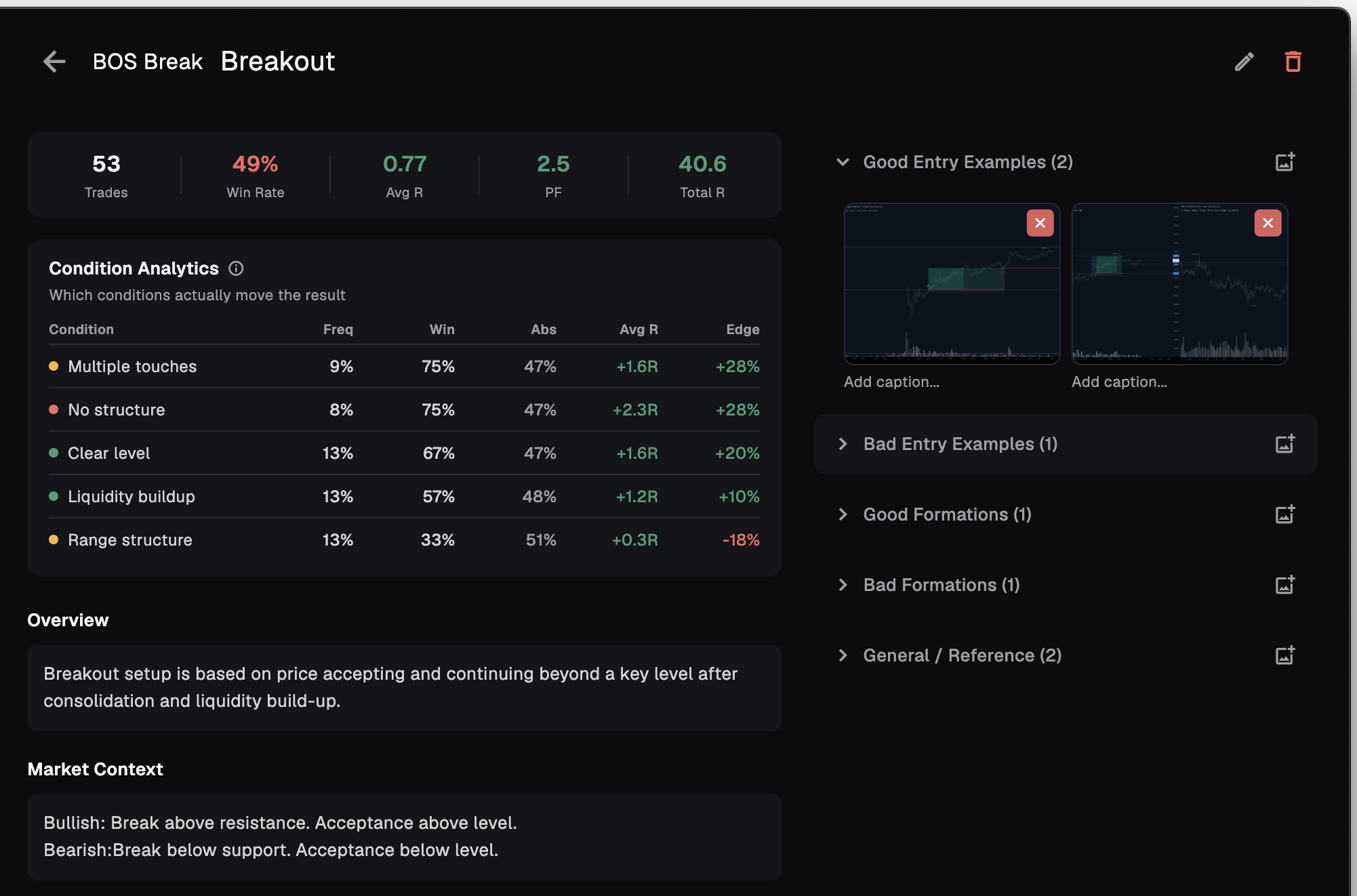
Live Session
Pull up any of your trades, mark it up and share it live — close one, open the next, and a mentor or peer breaks them down with you in real time.
Learn more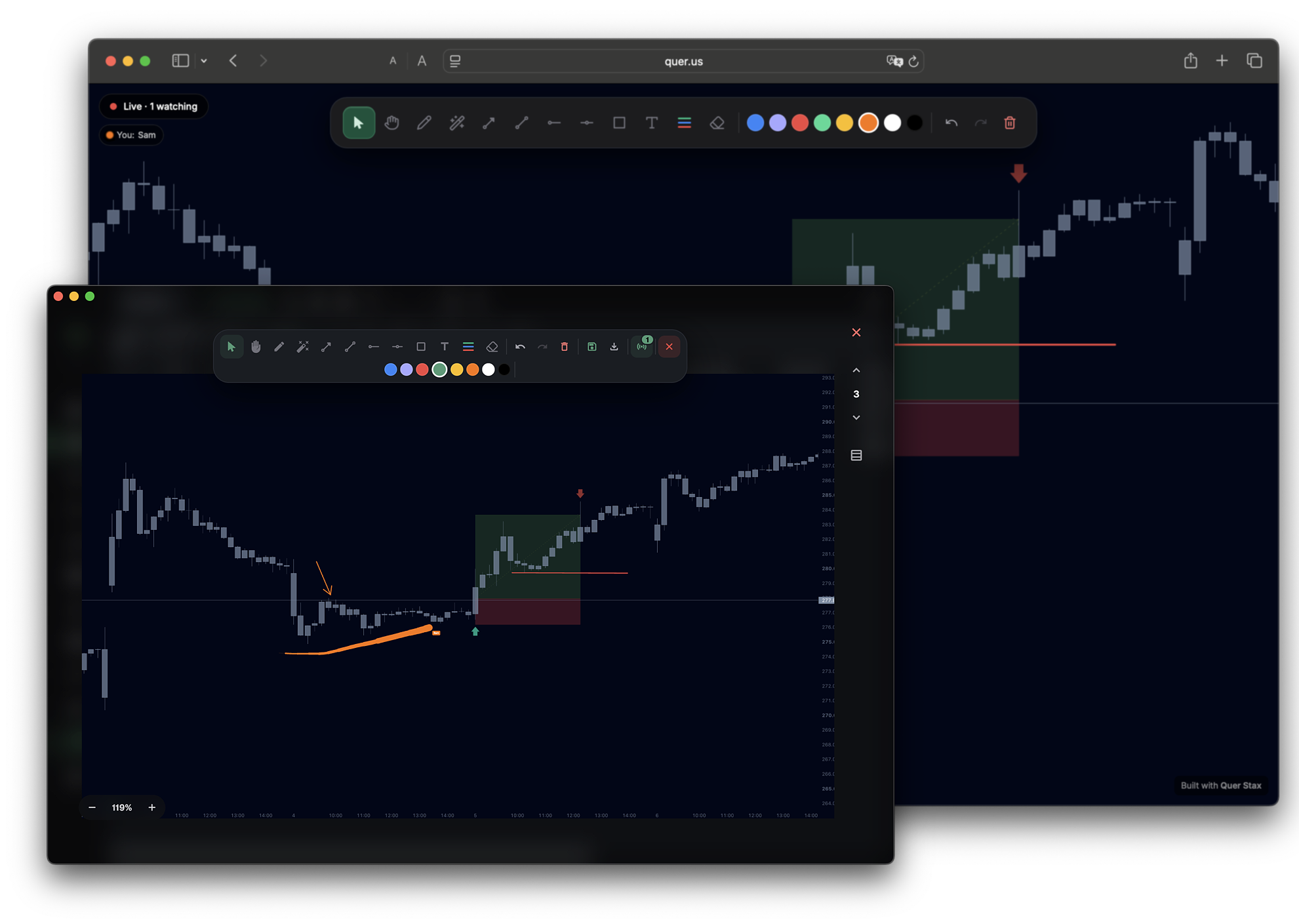
Prop Calculator
Stax sizes a prop challenge from your own trades: set the target, max drawdown and daily loss limit, and it finds the exact risk per trade to stay inside the rules — then tells you whether you'd pass.
Learn more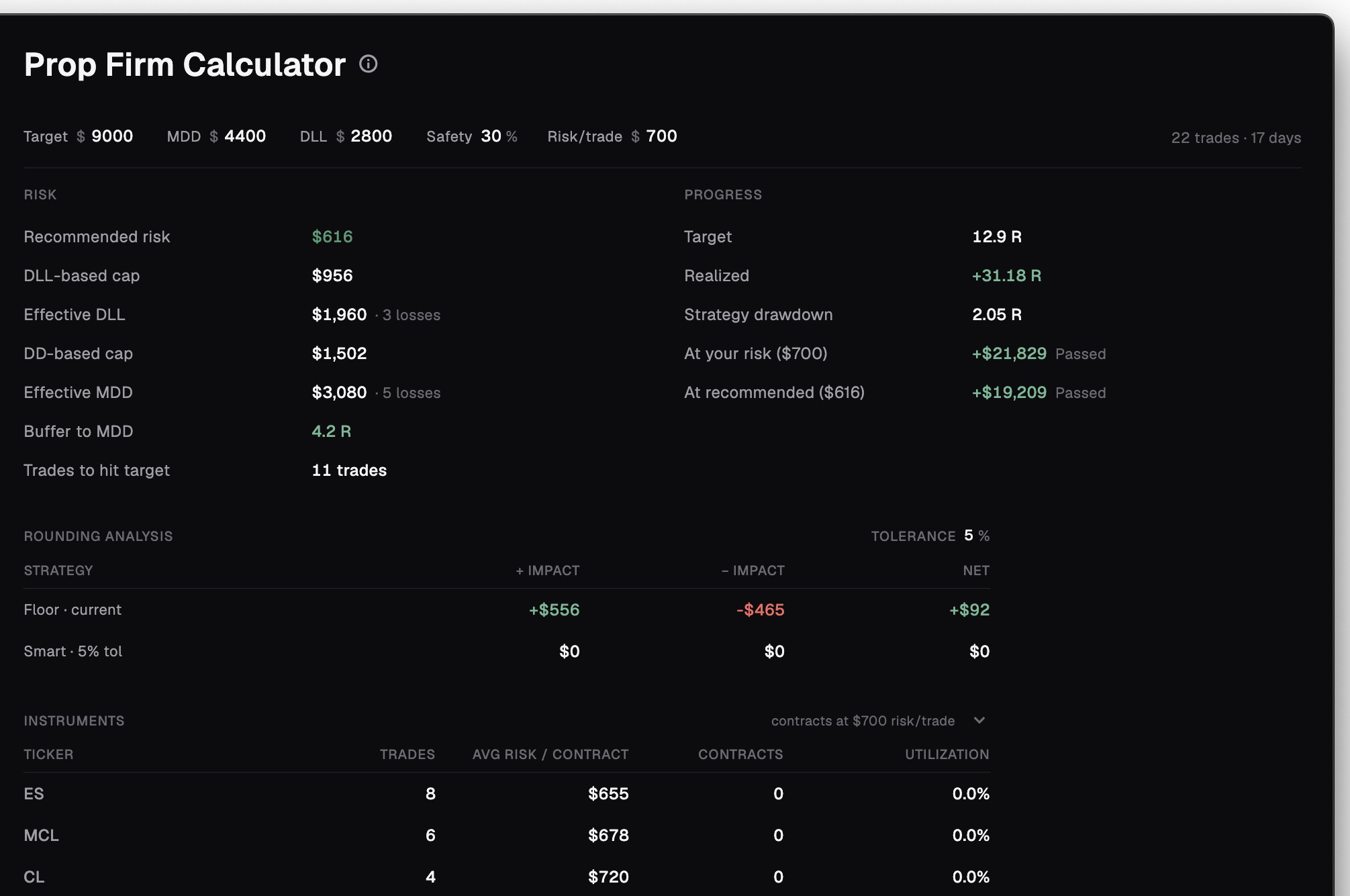
Mentoring
Coach your traders from one place — your students share their journal, you see every trade, setup and screenshot, and you leave feedback on the exact trade that matters.
Learn more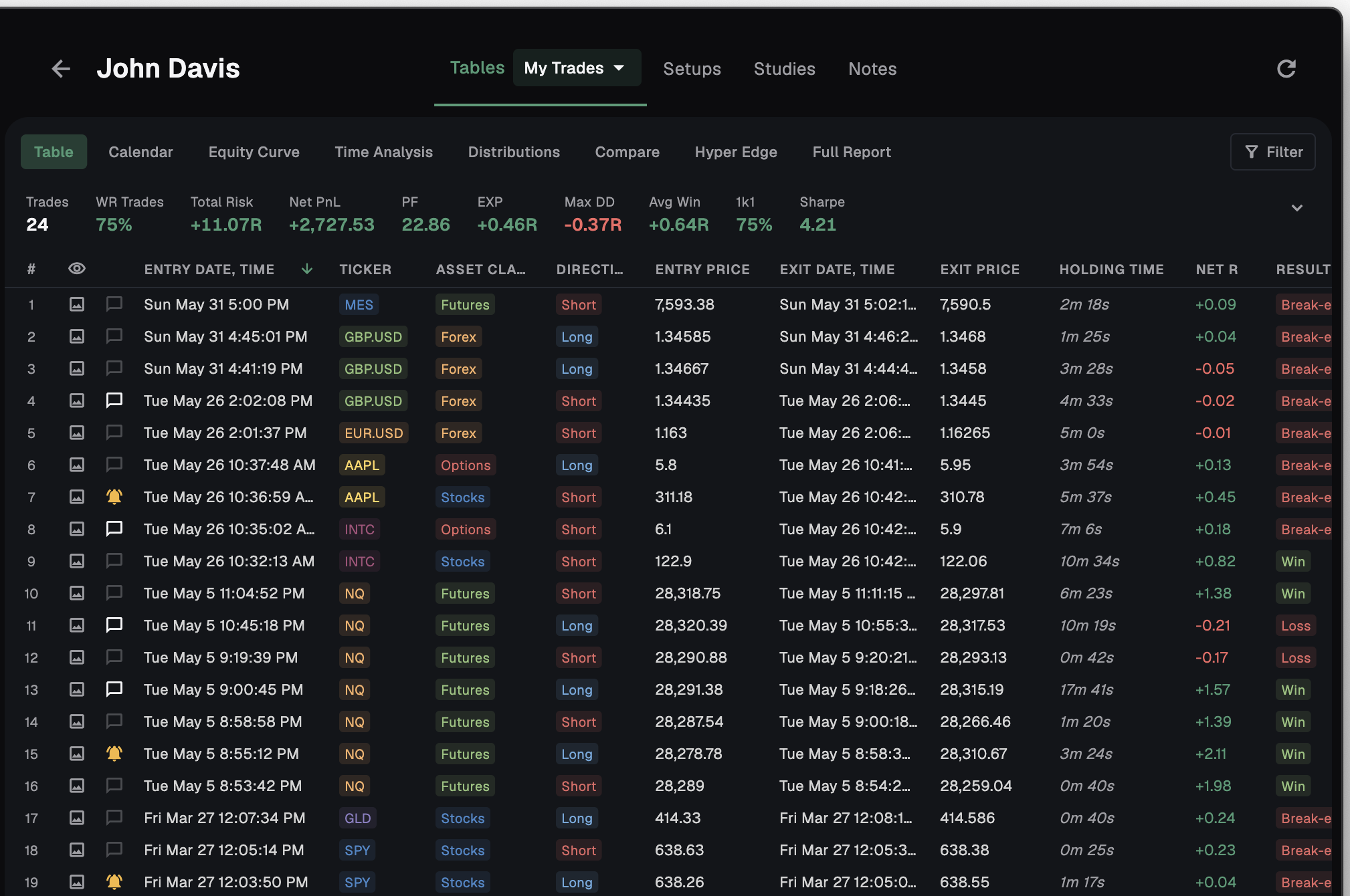
Share any trade — verified, not Photoshopped
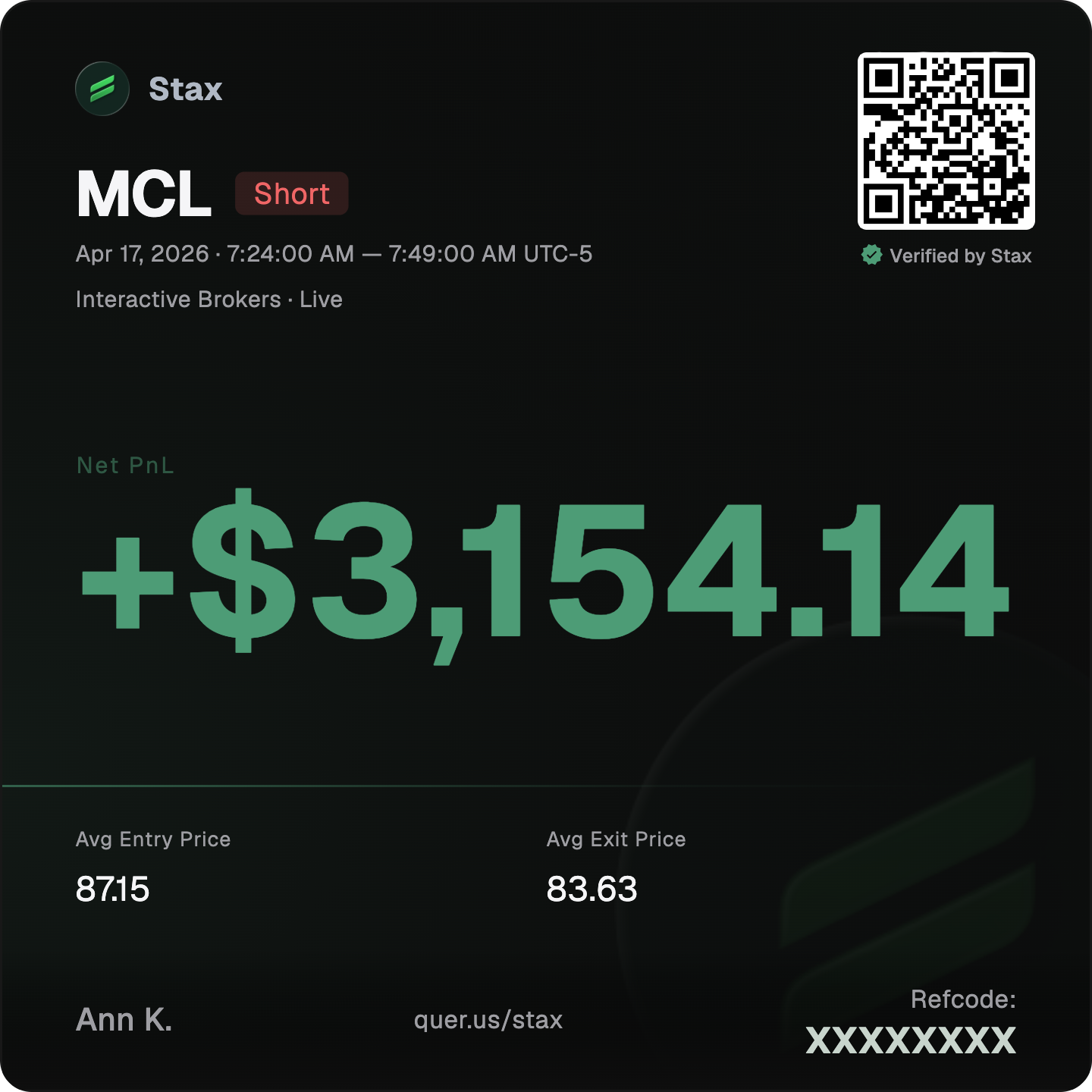
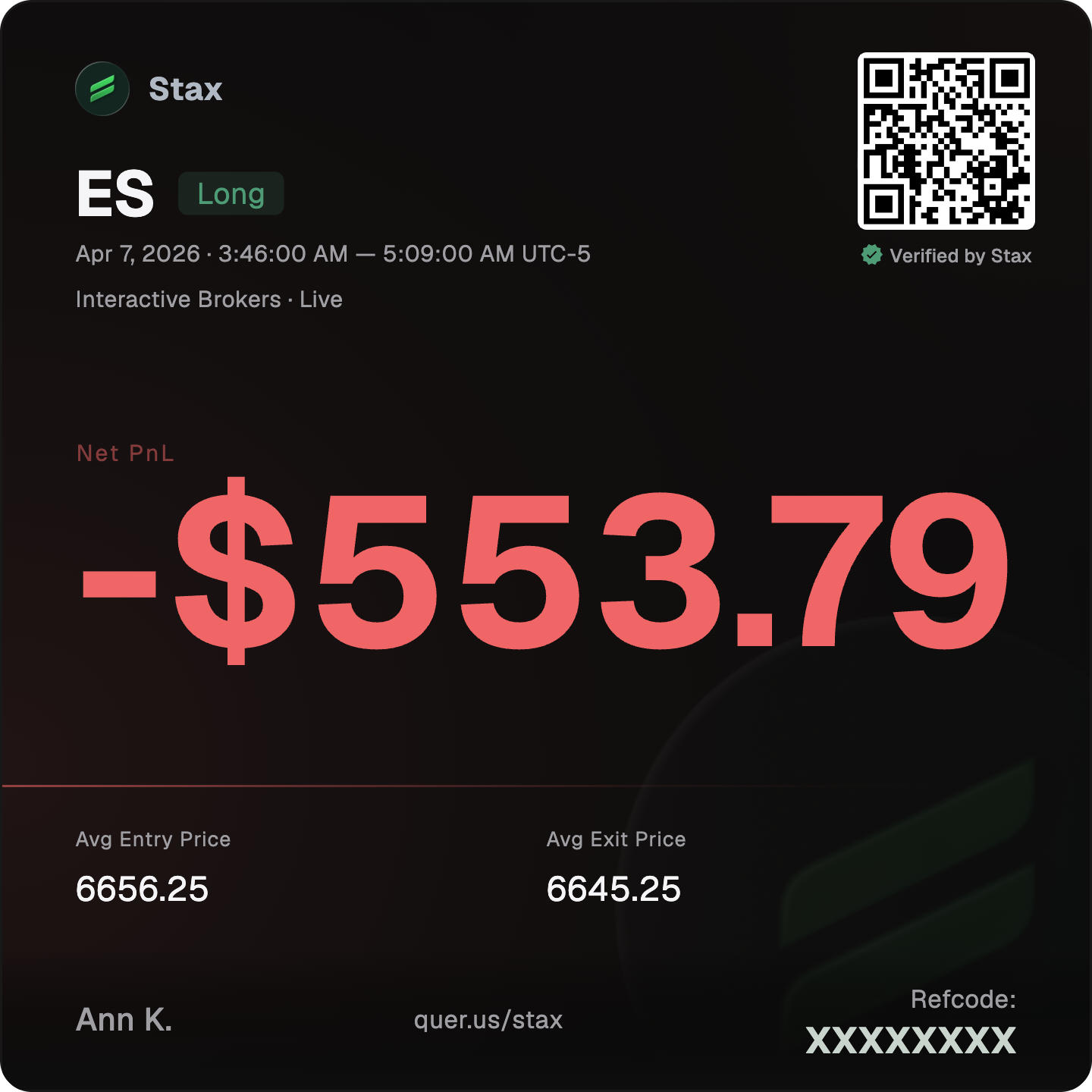
Turn any trade into a clean card with a scannable QR and your referral code built in. Trades synced straight from a connected broker also carry a ✓ Verified seal — real fills anyone can check, not an edited screenshot.
What sets us apart
| Feature | Stax | Others |
|---|---|---|
| Native desktop app | macOS + Windows | web |
| Broker auto-sync | 989 | 500+ |
| File import | 968 brokers | few presets |
| Works with ANY broker | ✓ | fixed list |
| Live trade sessions | Real-time, annotated | ✗ |
| Private local mode | ✓ | cloud-only |
| Verified Share Trade Cards | Broker-verified + QR | just a screenshot |
| Setups + Find My Edge | Ranks best + avoid | ✗ |
| Full analytics on every plan | ✓ | gated / capped |
| Connect your own AI | Read-only, on your machine | vendor's chat, if any |
| Custom columns | ~80 fields + unlimited | rigid columns |
| Multi-asset in one journal | 5 asset classes | often single-focused |
| Mentor mode | ✓ | async / none |
| Team — Oversight + Mentoring | ✓ | ✗ |
| Prop firm calculator | On your real trades | rare |
| Free to start | ✓ | paid / capped |
Stax is built by traders, for traders: a real edge-finder, full analytics for free, broker-verified sharing, works with any broker, and your data on your own machine — in a native desktop app, not a browser tab.
Everything you need
to trade with an edge
Free
Local journal · manual + CSV import
No card, no trial timer.
Download- 989 auto-syncing brokers
- 968 broker file importers
- Universal file import
- Analytics Hub
- Local AI Connection
- Live Session with annotation
- Prop Firm Calculator
- Research & Setups
Trader
Cloud mode · auto-sync · connect a mentor
$348/year — save 17%
Start 30-day free trial- Everything in Free, plus:
- 989 auto-syncing brokers
- 1 GB cloud journal
- Cloud sync across devices
- Verified trade cards
- Mentor access
- Real-time trade sharing
- Research & Setups
Mentor
Trader, plus tools to coach up to 10
$516/year — save 12%
Start 30-day free trial- Everything in Trader, plus:
- Up to 10 mentees + oversight
- View mentee trades, setups, research
- Per-mentee Full Reports
- Trade comments with mentees
- Per-mentee notes
Team
For academies and prop desks
10 seats · $2,640/year — save 15%
Get started- Trader + Mentor per seat
- Add members by email
- Personal subs auto-pause on join
- Mentorship groups
- Access-only oversight groups
- Unlimited mentees
- Auto-expiring access windows
Need 100+ seats? Get in touch → · All plans include a 30-day free trial, cancel anytime.
The honest answers.
Is Quer Stax really free?
Yes — Local-only mode is free forever. Log trades manually or via universal CSV import, get the full analytics suite (dashboard, calendar, Time Analysis, Find My Edge, Hyper Edge, Psyche Profile, Prop Calculator, Research, Setups), and keep everything on your machine. Paid plans add auto-syncing brokers, cloud across devices, mentoring, and a 30-day free trial.
Which brokers does it support?
989 brokers auto-sync across stocks, options, futures, forex, and crypto. 968 have one-click file importers — drag in a statement, the format is recognised automatically. Anything else lands through the universal column-mapper, which handles any CSV from any platform, including proprietary or closed broker exports.
What's "Net Risk / Net R:R"?
R-multiples that already have every commission, swap, and funding cost subtracted. The edge you see is the edge you actually keep — what hit your account, not a gross number that erodes once costs are paid.
What is Find My Edge?
A combinatorial optimizer that tests every combination of your factors — symbol, direction, session, style, stop type, entry quality, day and hour — to reveal the setups that actually make you money. It returns your TOP-10 best and TOP-5 worst combinations, scored by profit factor weighted by how many trades back each one.
Can I use AI with my journal?
Yes, on every plan including Free. Stax opens a private connection on your own computer and hands it to the AI client you already use — Claude Desktop, Claude Code, Cursor, LM Studio, Windsurf or Gemini CLI. Your AI then reads your real trades and the same numbers the app shows you, checks the maths with its own engine, and answers in plain language. It is read-only: your AI can read your journal, it can never change it. It stays off until you switch it on, and it runs on your own AI account — we never charge you for it. Worth knowing: whatever your AI reads is sent on to that AI provider under their terms, unless you run a local model, in which case nothing leaves your machine at all. ChatGPT connects from its own cloud and can't reach a connection that listens only on your computer, so it isn't on the list.
Does my data stay private?
In Local-only mode, everything stays on your machine — nothing leaves your device. Turn cloud sync on and your data is encrypted at rest; you choose exactly which sheets, setups and research a mentor can see, and you can disconnect at any time. The one deliberate exception is the Local AI Connection: it is off until you enable it, and while it is on, whatever your AI reads is sent to your AI provider under their terms — run a local model and even that stays on your machine.
Can I import from a broker you don't list?
Yes. The universal column-mapper imports any CSV from any platform — even proprietary ones — by letting you point each column at the field it represents. Save your mapping as a template once, reuse it forever.
Is there a mobile or web app?
Quer Stax is a native desktop app for macOS and Windows — and that's the point: the full analytics horsepower runs on your own machine, not in a browser tab.
What happens after the 30-day trial?
When the 30-day trial ends, your paid plan activates and you're billed automatically — so if you don't want to be charged, cancel before the trial is up. You can cancel any time, and cancelling moves you back to the Free plan. On that downgrade your cloud-only data gets a grace period to export before it's cleared; your local trades are never touched.
What happens if I downgrade to Free?
Moving from a paid plan (Trader or Mentor) down to Free switches Stax to local-only mode: cloud sync turns off, your broker auto-syncs stop, and any mentor connections — yours as a mentee, or with your mentees — are disconnected. Your trades stay on your machine; cloud-only data gets a grace period to export before it's cleared, and your local journal is left untouched.
See your real edge.
Free forever, 30 days of cloud on the house.
Native macOS & Windows.